Skip to content
Pocket Apps

Pocket Apps are field-issue Android tools for useful little jobs.

Pocket Apps is the Wacky Works Digital field kit for small utilities built quickly, tested in the real world, and published before they deserve a full store campaign.

Issue ledger

1 app listed.

First app
Barcode Widget for Android
File record
Direct APK 1.0 is logged.
Store channel
Not every Pocket App starts in Google Play Store.
Current field kit

First field utility.

This starts as one app, but the structure is ready for the next quick field issues.

App 01 / Field widget

Barcode Widget for Android

Barcode Widget for Android is a tiny field utility for saving short codes, login IDs, passwords, labels, or test values, then displaying them as home-screen barcode widgets when you need them quickly.

  • Home-screen barcode widget for Android.
  • Two barcode slots per widget.
  • Add multiple widgets for as many saved barcode values as you need.
  • Tap, enter a short value, stamp save.
Status
Direct APK ready
Version
1.0
Release date
2026-06-13
Platform
Android
Price
Free
APK file
barcode-widget-for-android-v1-0.apk
File size
35 KB
SHA-256
7b73e778cf507322f5b5fffebe3ac492e450622d04e83ecd6ebfe09c6ced0ab9
Installed app name
Barcode Widget
Package
digital.wackyworks.barcodewidget
Version code
1
Minimum Android
Android 8.0+
Signed by
Wacky Works Digital
Permissions
No Android permissions requested
Network access
No network permission in this build

Phone screenshots

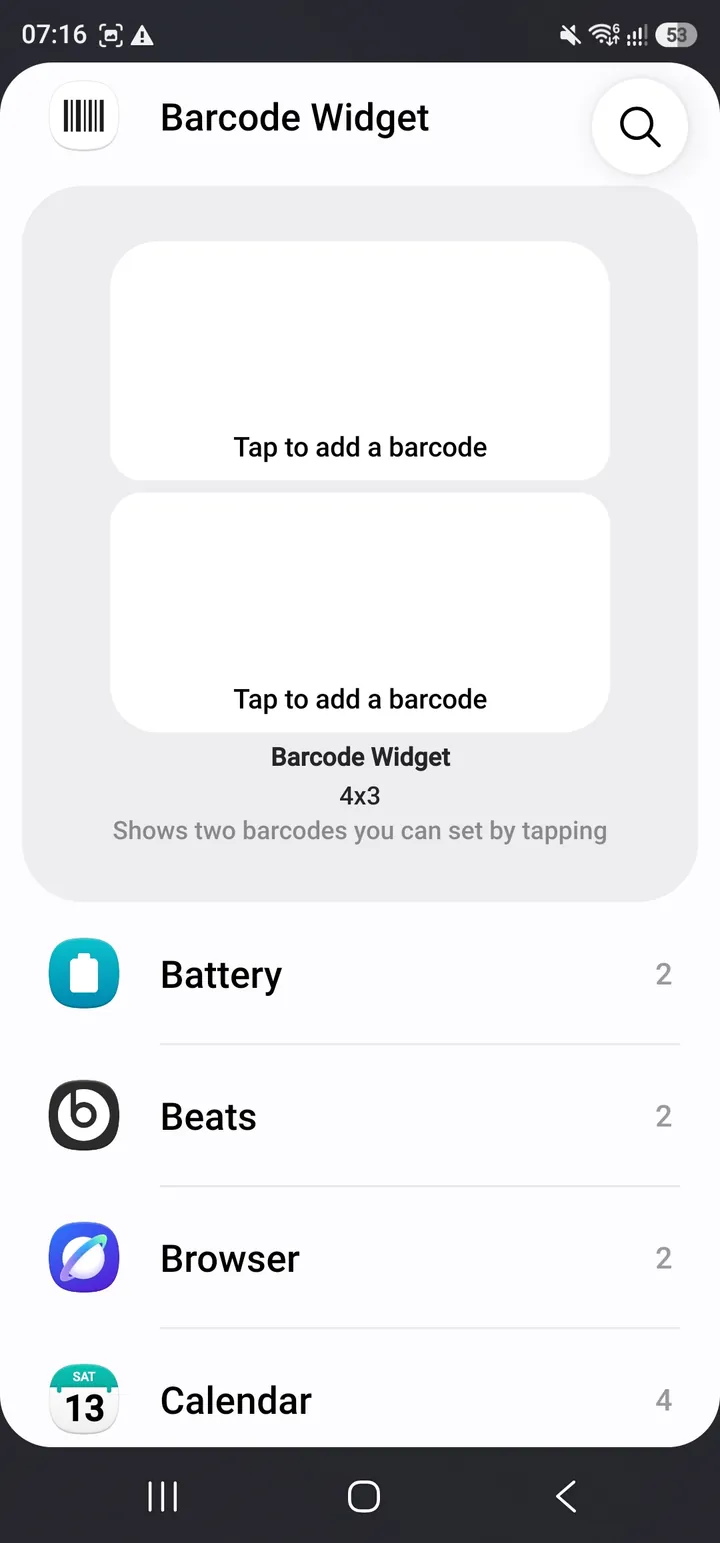
Android widget picker showing the Barcode Widget preview with two empty barcode slots.
Widget picker preview before adding Barcode Widget to the home screen.
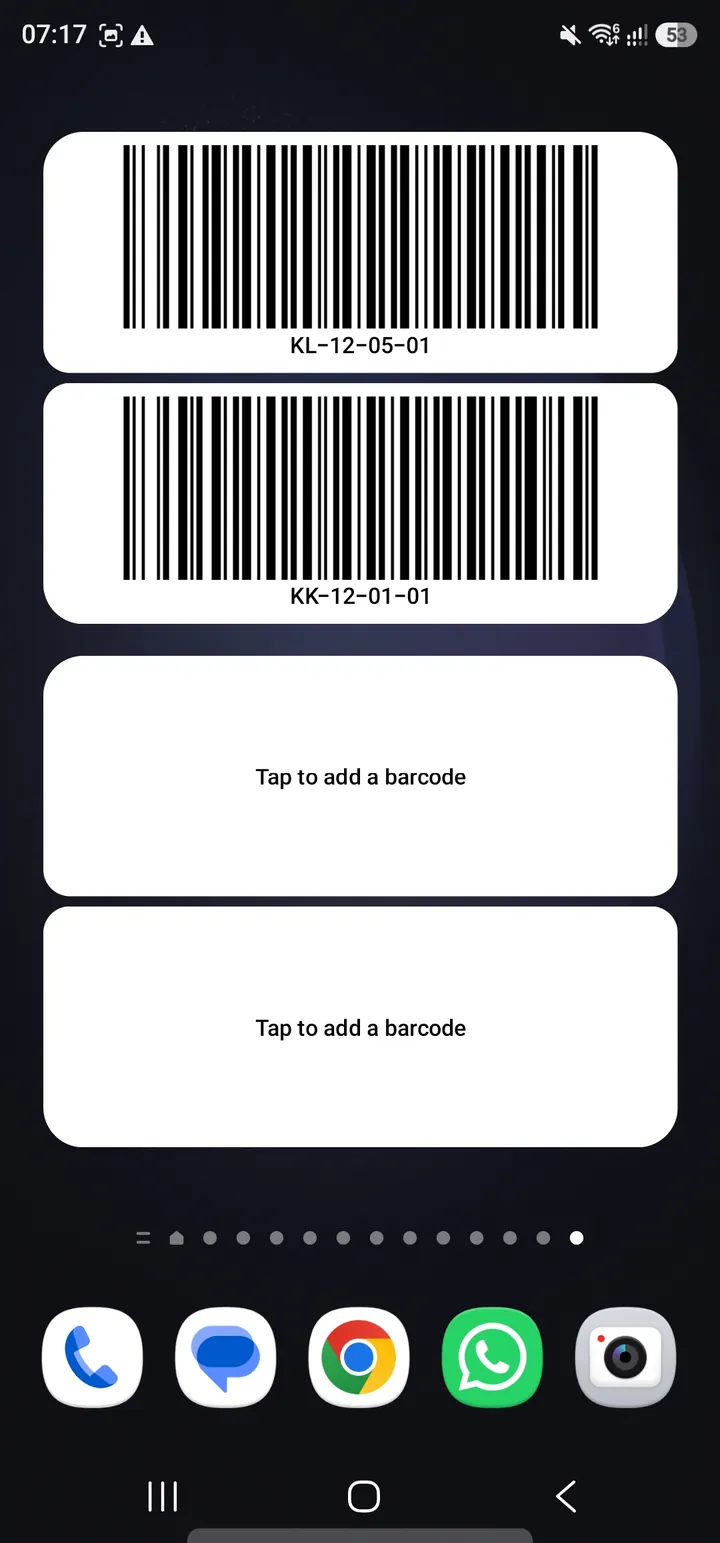
Android home screen showing Barcode Widget with two saved barcodes and two empty barcode slots.
Home-screen widget with saved barcode values and empty slots ready to fill.
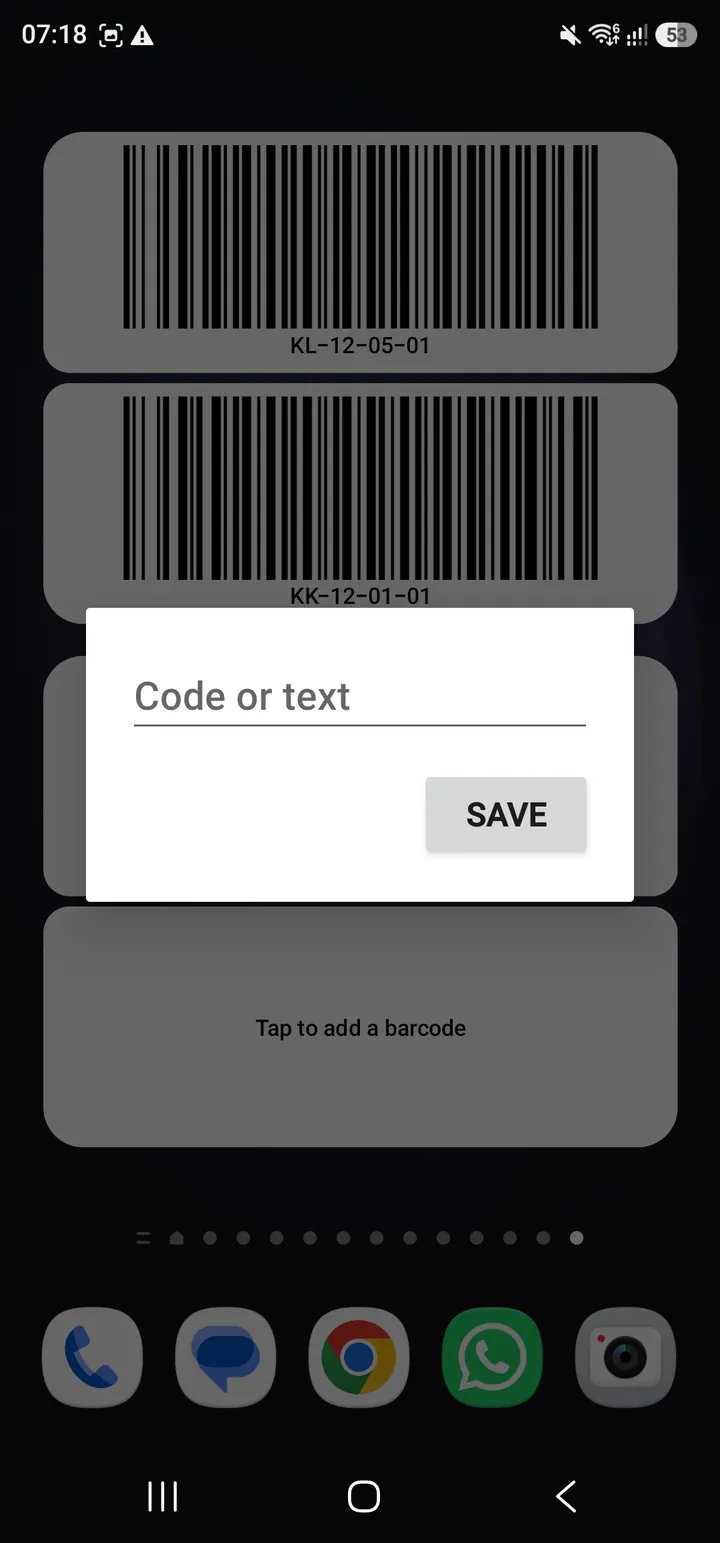
Barcode Widget input dialog prompting for a code or text value with a save button.
Tap an empty slot, enter a short code or text value, then save.
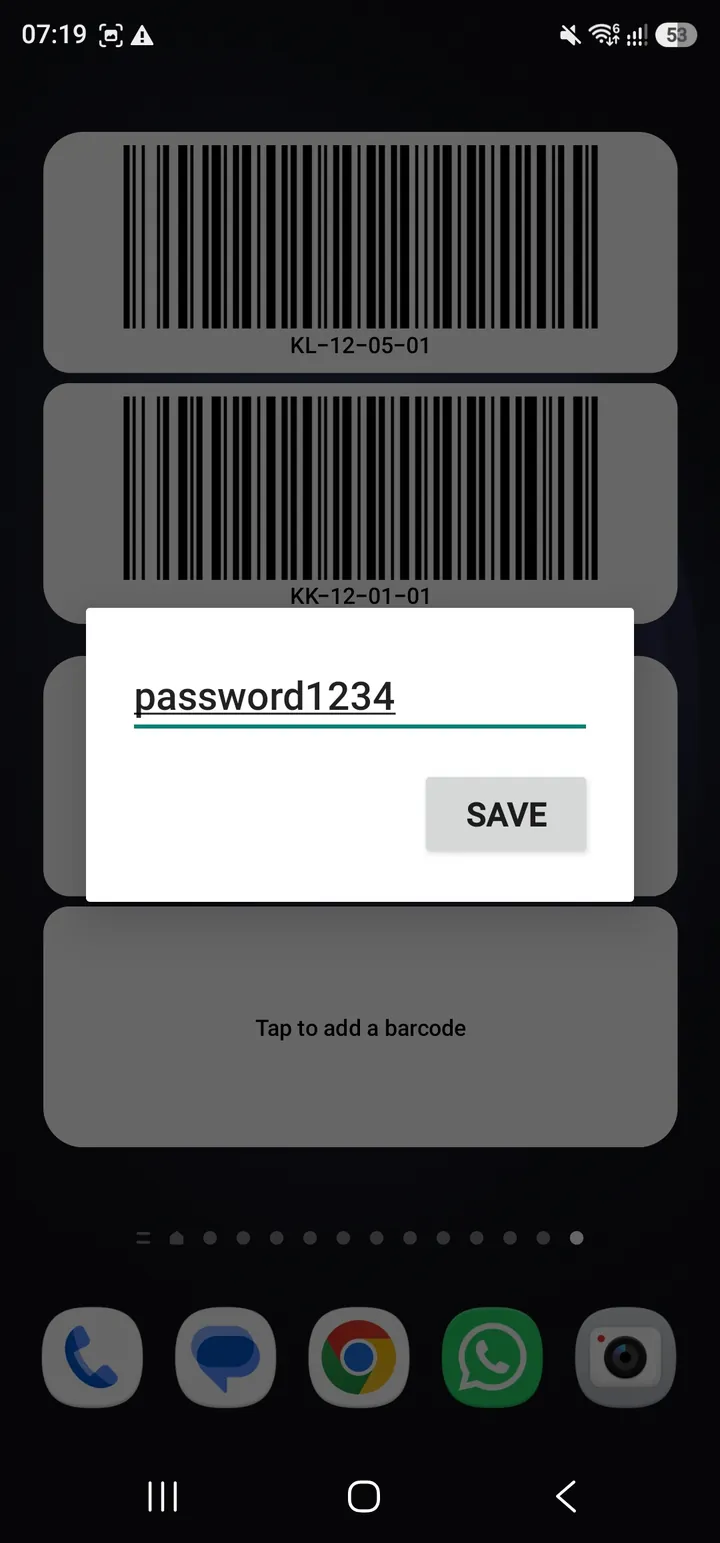
Barcode Widget input dialog with a custom value entered before saving.
The saved value is turned into a barcode tile on the widget.
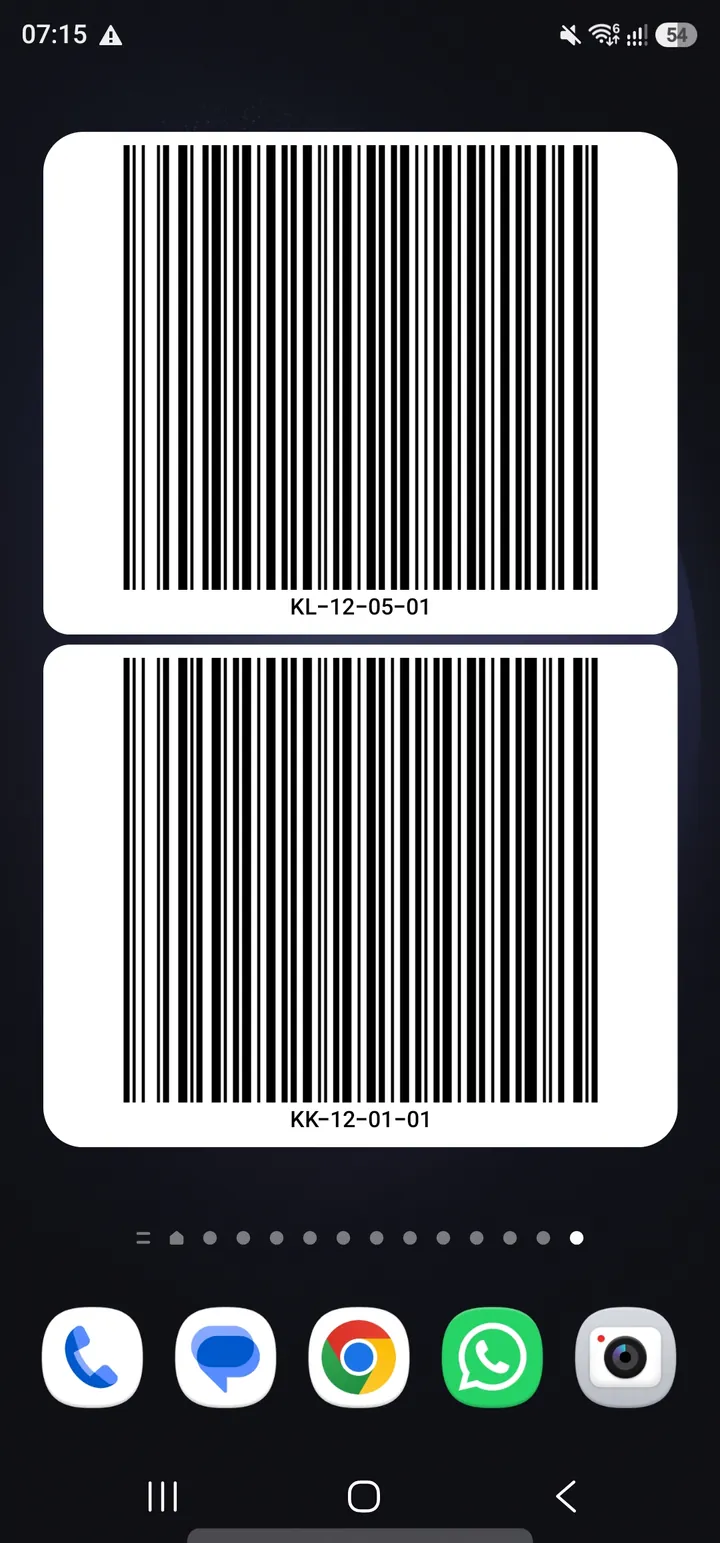
Android home screen displaying two large Barcode Widget barcode tiles.
Two barcode tiles shown directly on the Android home screen.
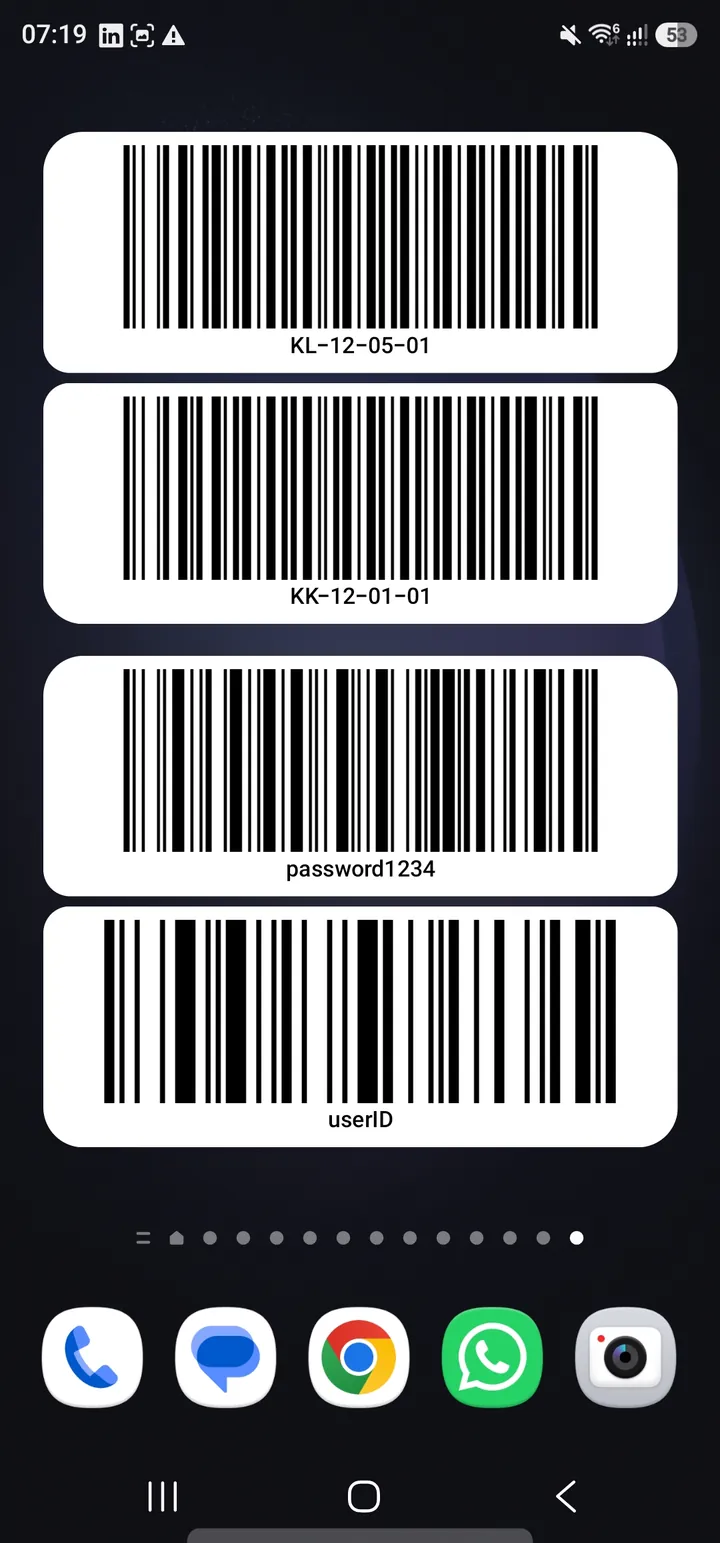
Android home screen displaying two Barcode Widget widgets, each with two barcode tiles.
Two widgets can sit on the same home screen, giving four barcode tiles in this example.

APK paper trail

Direct downloads need a stamped paper trail.

Android may show an install-unknown-apps warning for APKs that are not installed from Google Play Store. That is normal, but every file still needs clear identity.

Each APK should show a version, release date, file size, and SHA-256 hash.
Each app should say whether it stores data locally, syncs online, or uses analytics.
Anything shown on a widget can be read by anyone who can see the phone screen.
Store review can happen later, but the download page still needs plain safety notes now.
FAQ

Pocket app answers.

What are Pocket Apps?

Pocket Apps are small field-issue utilities from Wacky Works Digital, usually built quickly for one practical job before they are polished enough for a store listing.

Why are some apps direct APK downloads?

Some Android apps are useful before Play Store review is finished. Direct APK downloads let early users install them while the store process catches up.

Is Barcode Widget in the Play Store?

Not yet. Barcode Widget for Android is available as a direct APK download while the app stays outside Google Play Store.

Can I store passwords in Barcode Widget?

Yes. Barcode Widget can display a login ID or password as a barcode, which is useful for scanner workflows. Treat anything shown this way as visible to anyone nearby, and only use it where your device, workplace, and security policy allow it.

How many barcodes can I show?

Each Barcode Widget shows two barcode slots. You can add multiple widgets to the Android home screen, so the practical limit is the space available on the phone.

Where does the saved value live?

The current build is local-first: saved values are kept on the Android device, and the APK requests no Android permissions. The page will be updated if an app ever adds sync, accounts, analytics, or network features.

How will I know an APK is the right file?

Each direct APK download publishes its version, file size, release date, and SHA-256 hash so users can verify they have the intended file.