
 Live EdTech product
Spellito: spelling practice, brought to life.
Spellito is a live EdTech web app created by Wacky Works Digital for UK primary spelling practice, from Reception to Year 6. Basic practice is free and account-free, with optional paid Family Pass and Class Licence extras.
Evidence 01: the live spelling practice screen
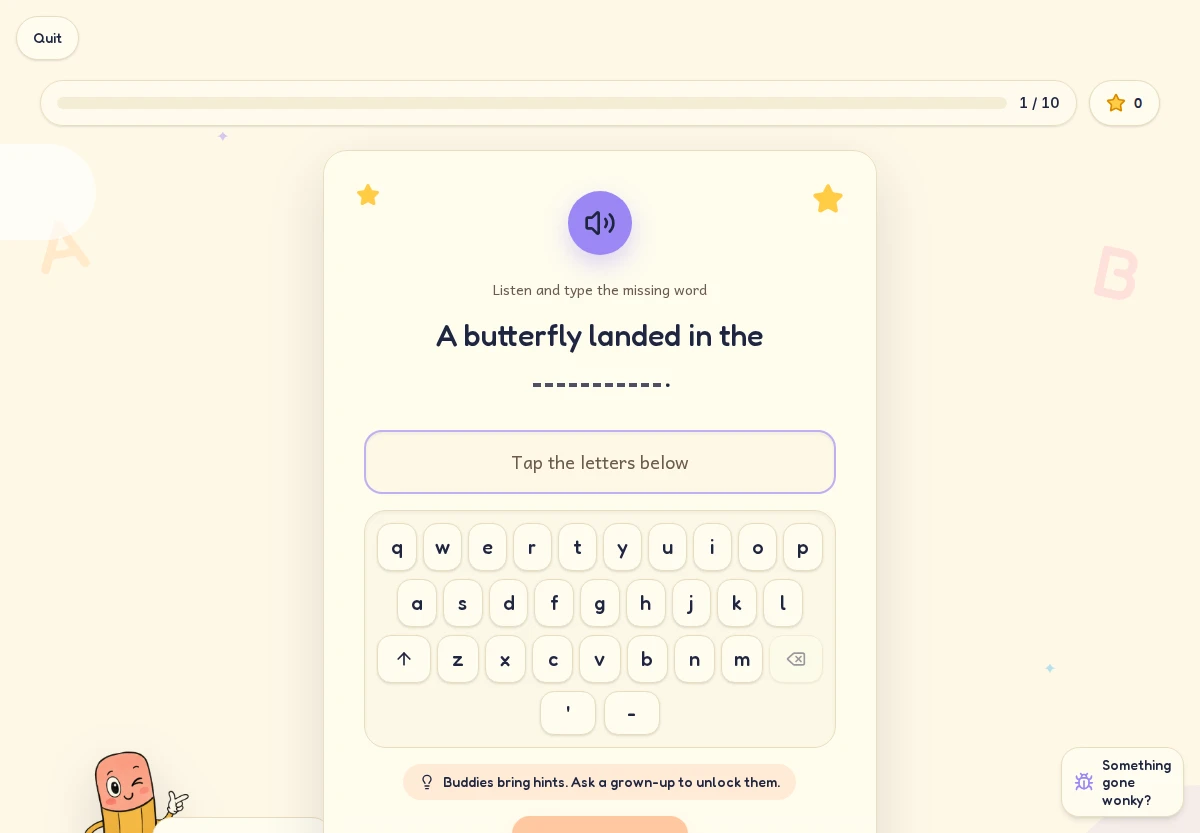
One word, several ways to practise.
Hear spoken words in sentences, then practise by typing, arranging letter tiles or writing on paper and checking your own answer. Paper practice is self-checked: there is no handwriting recognition and no paper scores.
Optional paid extras
The optional paid Family Pass gives parents their own word lists and progress tracking.
The optional paid Class Licence gives teachers weekly assignments and private class progress.
Live on the web. Stores next.
The web app is live now. Store apps are planned for early October 2026.
 App Store
 Google Play
 Microsoft Store
Keep practice within reach.
Use Safari on iPhone or iPad, Chrome on Android, or Chrome or Microsoft Edge on Windows and Mac. If installation is unavailable, use Spellito in an ordinary browser tab. Keep an internet connection for the full experience.
Full Spellito installation instructionsiPhone and iPad
Open spellito.com in Safari. Choose Share, then Add to Home Screen and confirm Add.
iPhone and iPad installation instructionsAndroid
Open spellito.com in Chrome. Open the menu, choose Install app or Add to Home screen, then confirm.
Android installation instructionsWindows
Open spellito.com in Chrome or Edge. Use the address-bar install icon or the browser menu to install the site as an app.
Windows installation instructionsMac
Open spellito.com in Chrome or Edge. Use the address-bar install icon or the browser menu to install the site as an app.
Mac installation instructions
Spellito questions, answered.
- Who is Spellito for, and who made it?
- Spellito is a live EdTech web app created by Wacky Works Digital for UK primary spelling practice, from Reception to Year 6. Basic practice is free and account-free, with optional paid Family Pass and Class Licence extras.
- Is Spellito free?
- Basic practice is free and account-free. A Family Pass for parent word lists and progress, or a Class Licence for teacher weekly assignments and private class progress, is optional and paid.
- How does spelling practice work?
- Hear spoken words in sentences, then practise by typing, arranging letter tiles or writing on paper and checking your own answer. Paper practice is self-checked: there is no handwriting recognition and no paper scores.
- Can I download Spellito from an app store?
- The web app is live now. Store apps are planned for early October 2026.
- Can I install the web app on my device?
- Yes. Use Safari Share > Add to Home Screen on iPhone or iPad, Chrome Install app or Add to Home screen on Android, or the Chrome or Edge install menu on Windows and Mac. If installation is unavailable, use an ordinary browser tab. Installation does not guarantee full offline use.
Have a useful product in mind?
Spellito is a Wacky Works Digital build: a playful public-facing web app with practical tools for families and classrooms. We build web apps around the people who use them.