9 min read
App development for Android, iOS, Windows and the web
Wacky Works Digital builds Android, iOS, Windows and web apps. Explore real published work, platform choices and what to bring to your app development enquiry.
About this piece
- Author
- Wacky Works Digital
- Stage
- Published
- Published
- Tags
- App development, Web apps, Custom business software
Wacky Works Digital builds apps and custom business software for the places people actually use them: Android phones, iPhones, Windows computers and web browsers. We develop for Google Play, the App Store and Microsoft Store, and build web products people can reach through a link. The right starting point is the job your app must do, the devices your users have and the smallest useful version you can put in their hands.
We're registered developers with Apple, Google and Microsoft.
Our work spans practical mobile utilities, browser-based education, shared shopping and business software. We give the software a clear purpose, make the important journey usable and choose its platform deliberately. The projects below are selected examples of that work.
If you need an app developer, here is what we build, what you can inspect today and what to bring to a first conversation.
What kind of app can Wacky build for you?
We develop customer-facing products, practical mobile utilities, web apps, dashboards and custom business software. Sometimes the brief is a new product. Sometimes it is a spreadsheet that has quietly become a department. The useful question is what people need to achieve, and where the current process gets in their way.
A customer app might need a simple public entry point and a reason to return. An internal tool might need clear permissions, a reliable handover between colleagues and connections to existing systems. A mobile utility might have one task, repeated often, that deserves a carefully designed screen or widget.
Our web apps and dashboards service covers bespoke browser-based tools. Where the app needs to exchange information with other software, our integrations work belongs in the same conversation. Where a repeated process can run without manual intervention, automation may be part of the answer.
Looking for an Android or Google Play app developer?
Android development can be a good fit when the job belongs on a phone or needs a particular Android interaction. Think about the device people carry, how they open the app and whether a home-screen widget would make the task easier to reach. A widget is a distinct interface with its own constraints, rather than a miniature copy of every app screen.
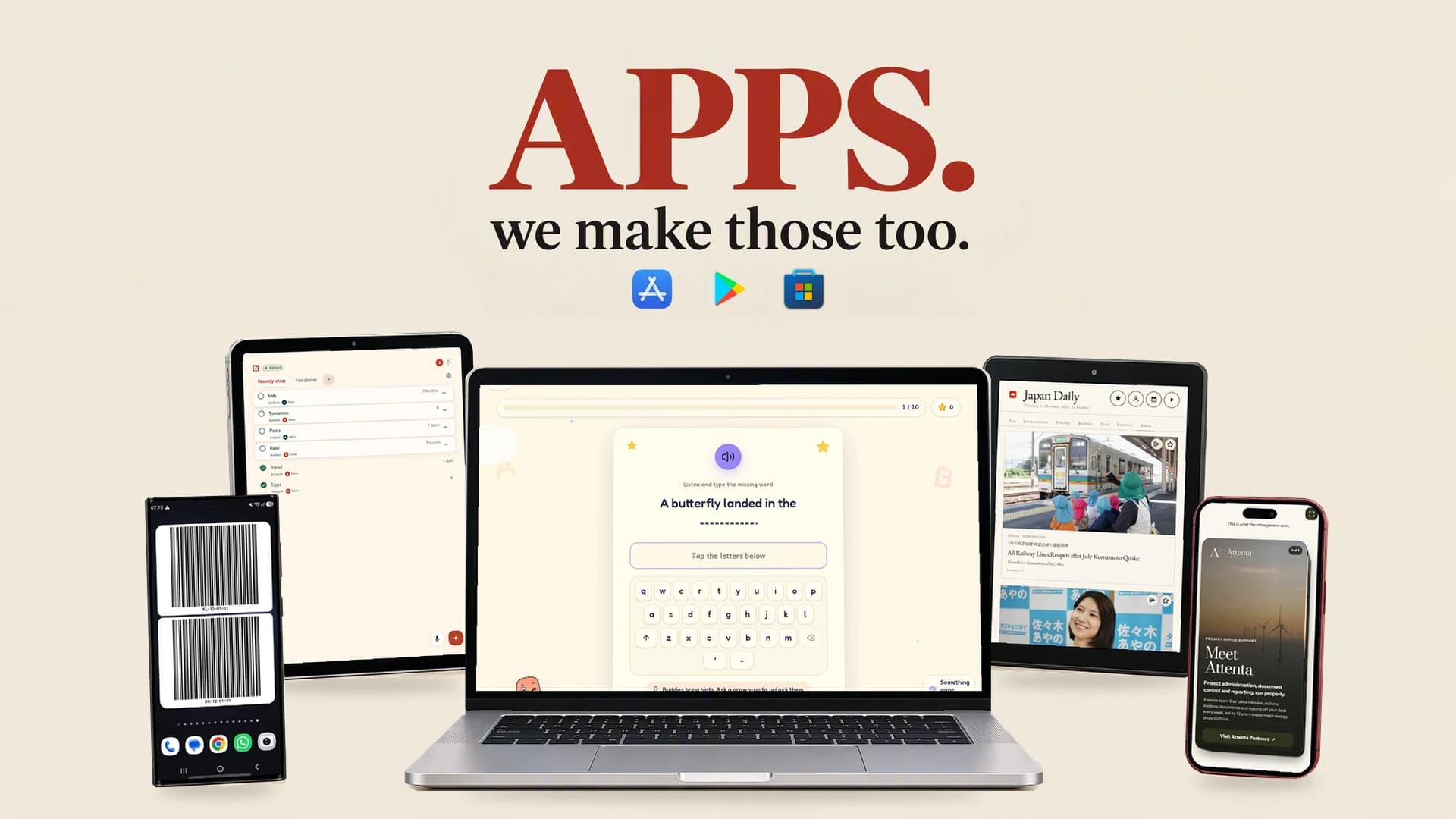
We have published Android work you can inspect. Scan Login: Barcode Display on Google Play names Wacky Works Digital as its developer. It displays saved login values as barcodes for compatible scanner workflows. Its purpose is specific: display a value in a form a suitable scanner can read. Compatibility with your intended scanner remains something to check.
The Scan Login product page provides another way to explore that work. It is evidence of a shipped Android utility, rather than a promise that every scanning workflow needs the same solution.
Barcode Widget on Google Play is another live Wacky Works Digital app. It puts two editable Code 128 barcodes on the Android home screen. Its current store description is for non-sensitive codes: the values are visible locally, it works offline, and it has no account or ads. You can also find it through Pocket Apps.
For a prospective Android build, the lesson is to define the interaction precisely. What value is displayed? What device reads it? Does the user need to open the full app? What happens without connectivity? A Google Play listing is one part of delivery, alongside the app, representative device checks and ongoing release work.
Need an iOS app developer or an App Store route?
We offer iOS app development and development for App Store distribution. The first conversation should establish why your users need an iPhone or iPad app, which device features matter and how the experience should work on those screens.
An existing Android interface can inform the design, but iOS needs its own attention. Permissions, navigation, installation and device behaviour should be checked on the supported Apple devices. If a shared codebase is appropriate, agree which parts can be shared and which still need platform-specific implementation and testing.
Store preparation also belongs in the scope. Listing information, privacy disclosures, support details and the review process require time and ownership. Apple's developer programme enrolment guidance and App Store review information explain separate parts of that route.
What about Windows and Microsoft Store app development?
We develop for Windows and Microsoft Store distribution too. Windows can be relevant when people work at a desk, use a larger display or need an application that fits a particular desktop workflow. Start with the operating environment: personal laptops, shared machines and managed workplace computers can have different installation constraints.
An internal business tool may work well in a browser. A desktop application may be appropriate where a tested requirement calls for closer integration with the device. Establish that requirement before committing to a Windows-specific build.
Microsoft Store planning includes the package, listing, submission and release responsibilities. Microsoft's developer account guidance and submission FAQs are useful primary references when scoping that work.
For a product spanning Windows, Android and iOS, we would identify the common user journey first. Then we would agree what each platform needs, how releases will be checked and who will maintain them. More platforms mean more supported surfaces, even when some code is shared.
When is web app development the better starting point?
A web app is worth considering when people should open a link and get on with the task across phones, tablets and computers. That can suit occasional users, public sharing and tools used from several kinds of device. Browser reach still needs testing for the audience's browsers, screen sizes and input methods.
Spellito is a live browser-based spelling-practice product for primary-school children. Our Spellito showcase describes it as a Wacky Works Digital build, with practical tools for families and classrooms. It is a concrete example of our public-facing web app work.
A web approach can also suit internal dashboards and business tools. It lets a team work from a shared entry point, while the application still needs appropriate access controls, data handling and support. If offline work is essential, specify exactly what must remain usable without a connection and what should happen when it returns.
Our guide to choosing a web app or native app develops those trade-offs. The decision should come from a requirement you can test, such as a particular hardware interaction or installation constraint.
More apps in progress: Konbi and Company Share Deck
Konbi is a public web beta for shared shopping lists. It demonstrates work around a shared task: making a list available to the people who need it. The Konbi guide explains the product's use.
Konbi's Android app is in private testing. Apple and Windows releases are separate work. If you are planning a product with several destinations, Konbi illustrates why each release needs its own status.
Company Share Deck is owned by Attenta Partners and designed and built by Wacky Works Digital. It is a browser-based contact-card and company-deck product in public preview. Its relevant interaction is sharing company and contact information through a link or QR code.
The Company Share Deck build story explains that handover and the work behind it. The public preview lets people inspect the browser experience. Customer accounts, publishing subscriptions and cross-device storage are planned.
For a buyer, these examples make an important distinction visible. A preview can help judge an interaction; private testing can help check a build; a public release gives users a distribution route. Ask which stage a demonstration represents and what still needs doing before your intended audience can use it.
What sits behind the screens?
An app may need a database, sign-in, file storage or connections to existing services. The interface and those supporting systems should be planned together. A clear screen is less useful if the information behind it has no agreed owner or recovery process.
We work with Microsoft Azure, Google Cloud, Vercel and Supabase. We select the combination around the app's data, access and delivery requirements.
At a useful level, Azure and Google Cloud can support application services and integrations. Vercel supports web application delivery. Supabase brings Postgres-based data and application services into the available toolkit. The choice should follow the data, access, deployment and maintenance requirements.
Ask what will run where, who controls the accounts and which recurring costs are expected. Also ask what can be exported or handed over. A technology name matters when it explains a practical decision about your app.
What should you agree before commissioning a build?
Write a short brief around one useful journey. Name the users, the task, the devices and the result they need. Then describe the current process and its main failure points. A few real examples of the work can be more useful than a long feature wish list.
Agree the first release boundary. Decide what is essential, what can wait and what evidence would show the first version is ready. Include awkward cases: denied permissions, interrupted connections, empty data and users who need keyboard or assistive-technology access.
Ownership deserves an explicit conversation. Establish who owns the product, code, domain, data and store accounts, who can authorise a release and how access will be handed over. Company Share Deck's Attenta ownership is one example of why builder credit and product ownership should be clear.
Plan maintenance alongside delivery. Operating systems, browsers, dependencies and connected services change. Someone needs to handle support, updates, backups where relevant and release administration. Our automation maintenance checklist offers useful related questions for software connected to other systems.
Quick questions before you enquire
Can we start with a web app and add mobile apps later?
Yes, that can be a sensible plan when the first task works well in a browser. Scope the likely mobile requirements early, then evaluate each later release against its devices and distribution needs.
Does every app need an account?
No. Barcode Widget has no account. Other products may need sign-in and permissions because they hold shared or private information. Decide from the task and data involved.
Can one build cover all platforms?
Some code and services may be shared. Each supported platform still needs appropriate implementation, testing and release work. Agree the support matrix before treating a shared codebase as a complete delivery plan.
What should I send Wacky Works Digital?
Tell us who the app is for, what they need to do, the devices they use, any existing systems and your budget range or timing constraints. If you already have a prototype or brief, include it.
Bring us the job your app needs to do
Wacky Works Digital can help turn that brief into a practical app-development scope, whether the route is Android and Google Play, iOS and the App Store, Windows and Microsoft Store, or a web app.
Start a conversation with Wacky Works Digital. Give us the task, the users and the constraints. We can discuss the platform options, what a useful first version should contain and the work needed to support it after release.
Platform marks identify the products discussed. Vercel, the Vercel design, Next.js and related marks, designs and logos are trademarks or registered trademarks of Vercel, Inc. or its affiliates in the US and other countries.